40% off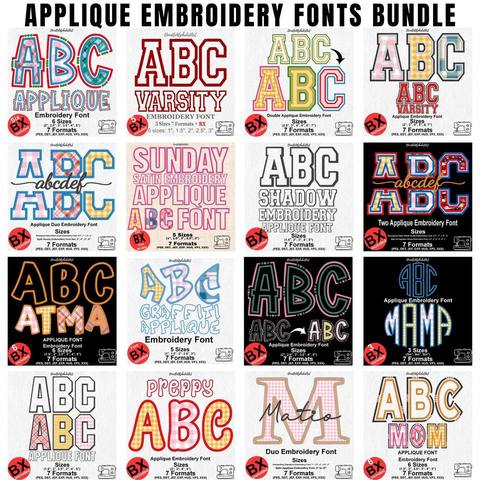
Applique Embroidery Font Bundle
PES · DST · JEF · EXP · HUS · VP3 · XXX · BX
Every font is 40% off. Two fonts are 45% off. Three or more are 50% off.
Embrilliance
Have you ever found the perfect embroidery font for a personalized sweatshirt, tote bag, baby blanket, or kitchen towel, only to discover that your hoop is too small for the entire word? You are not alone. This is one of the most common challenges home embroidery enthusiasts face when working with names, long words, and decorative lettering.
You do not necessarily need a larger embroidery machine or extra equipment. With Embrilliance and your home embroidery machine, you can divide large lettering into smaller sections and stitch them separately. This guide covers planning the word, splitting it between whole letters, lining the sections up, and getting a clean result without going past the hoop.
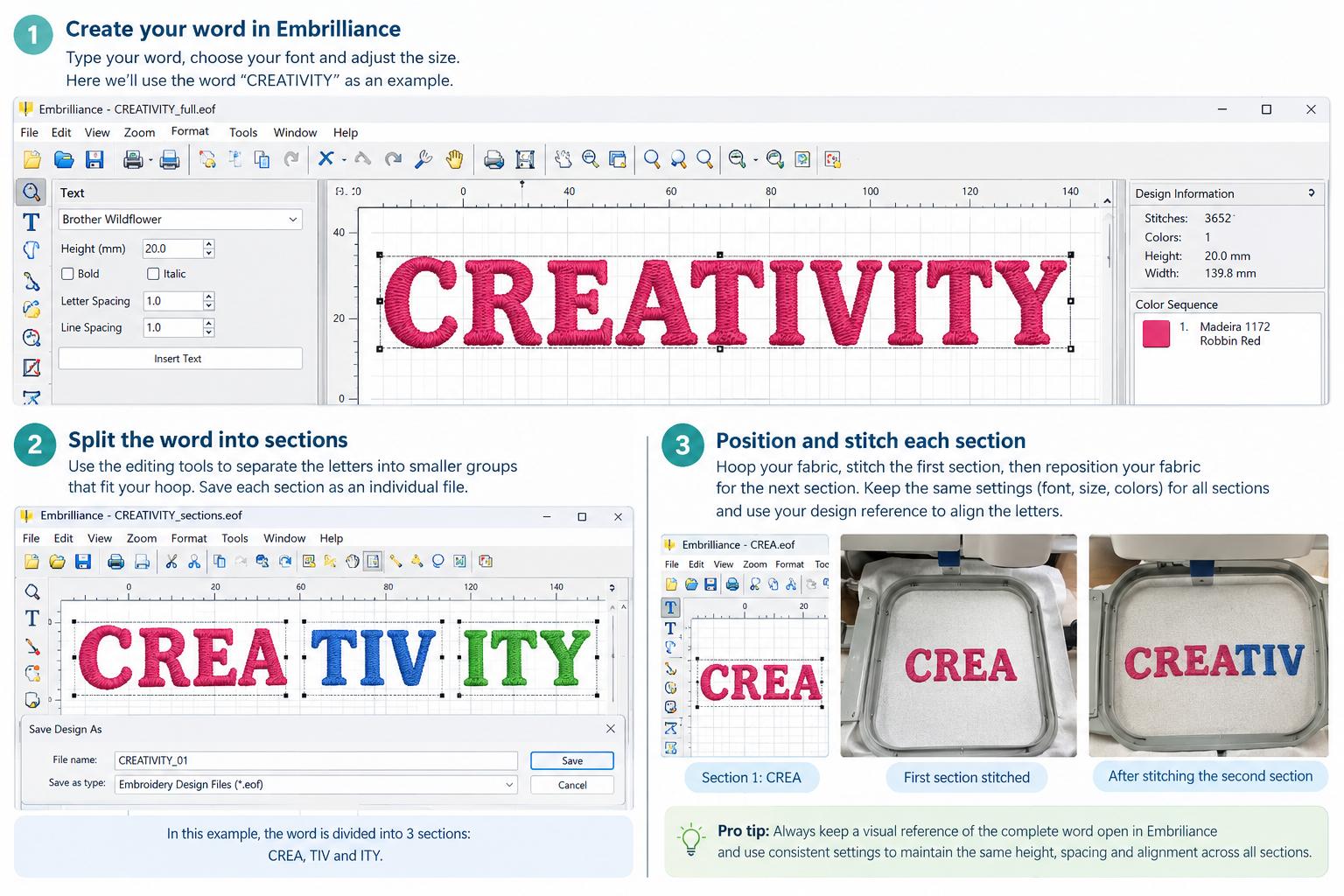
Before creating the design, check the maximum embroidery area your machine and hoop actually support. The outside size of a hoop is not always the same as the area the needle can sew.
A machine with a 4 × 4-inch hoop cannot stitch one design that extends past that field. You can still embroider a longer word by dividing it. Imagine the word BEAUTIFUL on a small cosmetic bag. If the whole word does not fit, split it into two sections:
Each section is positioned and stitched on its own, so the finished word can be wider than one hooping. Plan the split before you sew. Look at the width of the word, the height of the letters, the space between characters, and the room on the fabric.
Open Embrilliance and start a new design. Choose the lettering you want, or open a design that already uses your font. If the font is a BX file, install it first and type the word. The steps are in how to install a BX font. For everyday editing, the Embrilliance Essentials guide covers the toolbar, hoop size, and merge tool.
Enter the complete word and set the finished size before you split anything. Watch three details:
Save a copy of the original design before you change it. That copy is your picture of the complete word, and you can return to it if a section goes wrong.
Create a separate embroidery file for each piece that fits the hoop. The exact clicks depend on your Embrilliance version and whether the lettering can be edited. Where the software allows it, separate the letters into sections and save each section as its own file.
For the word CREATIVITY on a 4 × 4-inch hoop, three sections is a workable example:
Your split will change with the font, the letter width, and the finished size. If the font arrives as individual characters, build the word in Embrilliance and group the letters. If the lettering is already one combined stitch design, you need editing tools that can separate or rearrange those parts.
Do not cut through the middle of a letter unless you know how the stitch path will behave. A cut letter can lose its shape or leave a gap. Divide the word between complete letters.
Save each section with a clear name, such as CREATIVITY_01, CREATIVITY_02, and CREATIVITY_03, so the machine is loaded in order. Export the format your machine reads. Brother and Baby Lock use PES. Janome uses JEF. Singer uses XXX. Which file your machine uses lists the rest.
The hard part of a multi-hooping word is making every section look like it belongs to the same word. Use the same font, letter height, stitch style, and thread colors. Do not resize one section after the split. A small difference reads as uneven lettering.
If the letters in the first section are 20 mm high, the next sections stay at that height. Keep the original space between the last letter of one section and the first letter of the next. In CREATIVITY, the gap between A and T should look natural even though those letters are sewn in different hoopings.
Leave the complete word open in Embrilliance while you check the sections. Compare each file with that reference before you save.
The files are only half the job. The fabric has to land in the same place. Stabilize first. Stretch garments usually need more support than a firm woven fabric.
Hoop the fabric firmly without pulling it out of shape. On a garment, or anything you cannot slide around freely, mark the baseline and the center of the full word before the first stitch.
Stitch the first section. Take the hoop off the machine without disturbing the fabric more than you have to. Place the next section so the letters continue from the ones already sewn. Use the saved design and the marks on the fabric. If your machine or Embrilliance version has an alignment aid, use it. A ruler and a light fabric mark are enough when it does not.
Do not trust a glance. A small error becomes a step in the baseline or a gap between letters. Before you start the next section, check the needle position and confirm the design stays inside the area you planned.
A test sew saves thread and a garment. Use a similar fabric and the same stabilizer. Then check:
Fix the placement on the test piece. Cotton and a stretch T-shirt do not behave the same way. A design that sits flat on cotton may need more stabilizer on a knit.
Yes. A multi-needle machine is not required. A home machine can sew a long word in sections as long as each section fits the hoop and the fabric can be placed accurately.
Embrilliance prepares the lettering. The machine sews it. What matters is the plan, the stabilizer, and the alignment. Splitting a word does not make the hoop larger. It lets you build a wider design from several hoopings.
Very long words and curved lettering need more planning and another test. Go slowly on a finished garment or on a piece with little spare fabric.
Stitching big words on a small hoop is a practical way to get more from a home machine. You do not always need a larger machine to put a long name on a bag, a shirt, a towel, or a gift.
Prepare the word in Embrilliance, split it between whole letters, keep the spacing, and place the fabric with care. Start with a short word on scrap fabric, then move to a longer one.
Embrilliance Essentials beginner guide · Install a BX font · Which file your machine uses · Browse embroidery fonts
PES · DST · JEF · EXP · HUS · VP3 · XXX · BX

BX · PES · DST · JEF · EXP · HUS · VP3 · XXX

BX · PES · DST · JEF · EXP · HUS · VP3 · XXX

PES · DST · JEF · EXP · HUS · VP3 · XXX · BX

PES · DST · JEF · EXP · HUS · VP3 · XXX · BX

PES · DST · JEF · EXP · HUS · VP3 · XXX · BX


